
Line Operator
Production AssemblyManages just-in-time Kanban bin replenishment directly next to fast-paced heavy welding cells.

I designed warehouse workflows for material movement on rugged Zebra handhelds, balancing scan-first speed with safeguards for high-risk actions.
Line operators, warehouse pickers, and dock coordinators use these handheld terminals for 8+ hours a day. Extreme environments break consumer UX assumptions. Heavy duty gloves, one-handed touch, overhead fluorescent glares, continuous mechanical noise, and Wi-Fi dead zones require absolute visual clarity and physical resilience.
Manages just-in-time Kanban bin replenishment directly next to fast-paced heavy welding cells.
Coordinates bulk pallet relocation, stock transfers, and high-density material putaway sequences.
Verifies outbound trailer dispatch, final package manifests, and physical security seal compliance.
WMS-level batch print of physical product labels.
Closed-loop replenishment signal verification.
Validating outbound pallet counts & loading.
THE CORE QUESTIONHow do you keep low-risk tasks instant and high-risk tasks completely safe, on the same terminal, for the same users?
Instead of enforcing a rigid security scan step on every action, the interface scales transactional resistance dynamically. Low-stake loops trigger automatically on a single scan; high-consequence operations require structured gates.
A physical barcode scan triggers instant automated loop execution.
Fast inventory tracking is combined with a conscious, deliberate physical hold.
Errors cause severe downstream shipping blocks. Highly guarded alert screens.
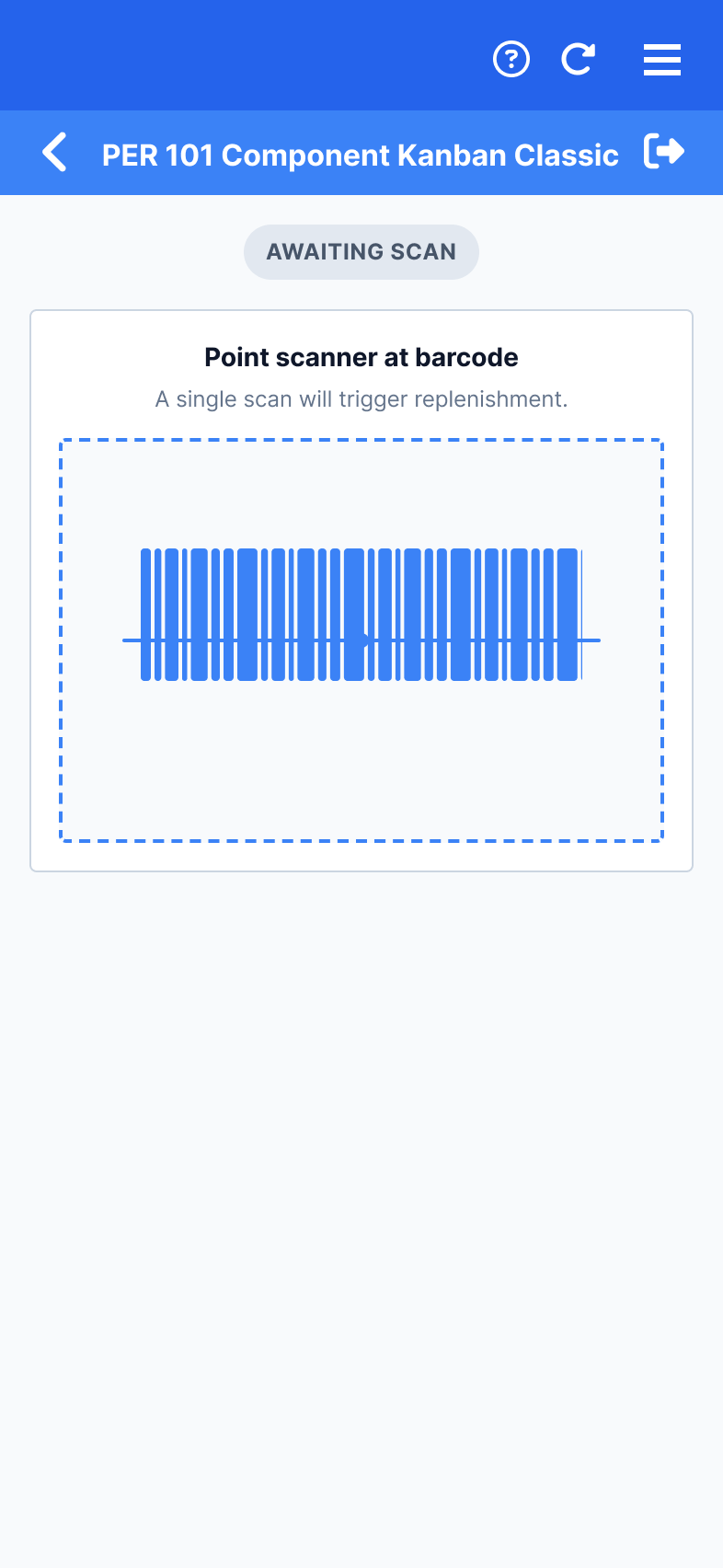
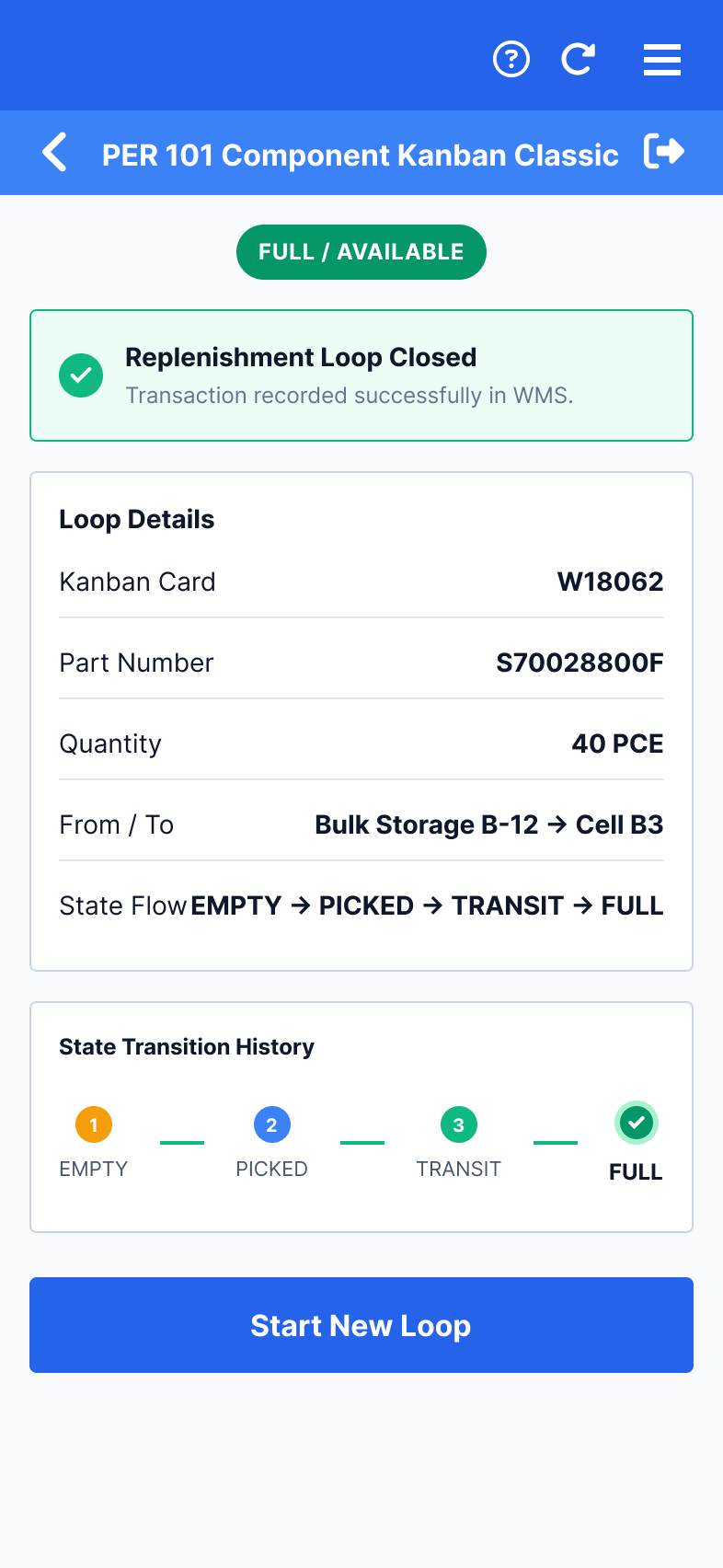
Replenishment Loops — One scan empties a bin, one scan refills it.
Kanban replenishment must be instant and error-free. The core challenge: make a highly reversible action feel instant while still preventing wrong-line triggers that cause major manufacturing downtime.
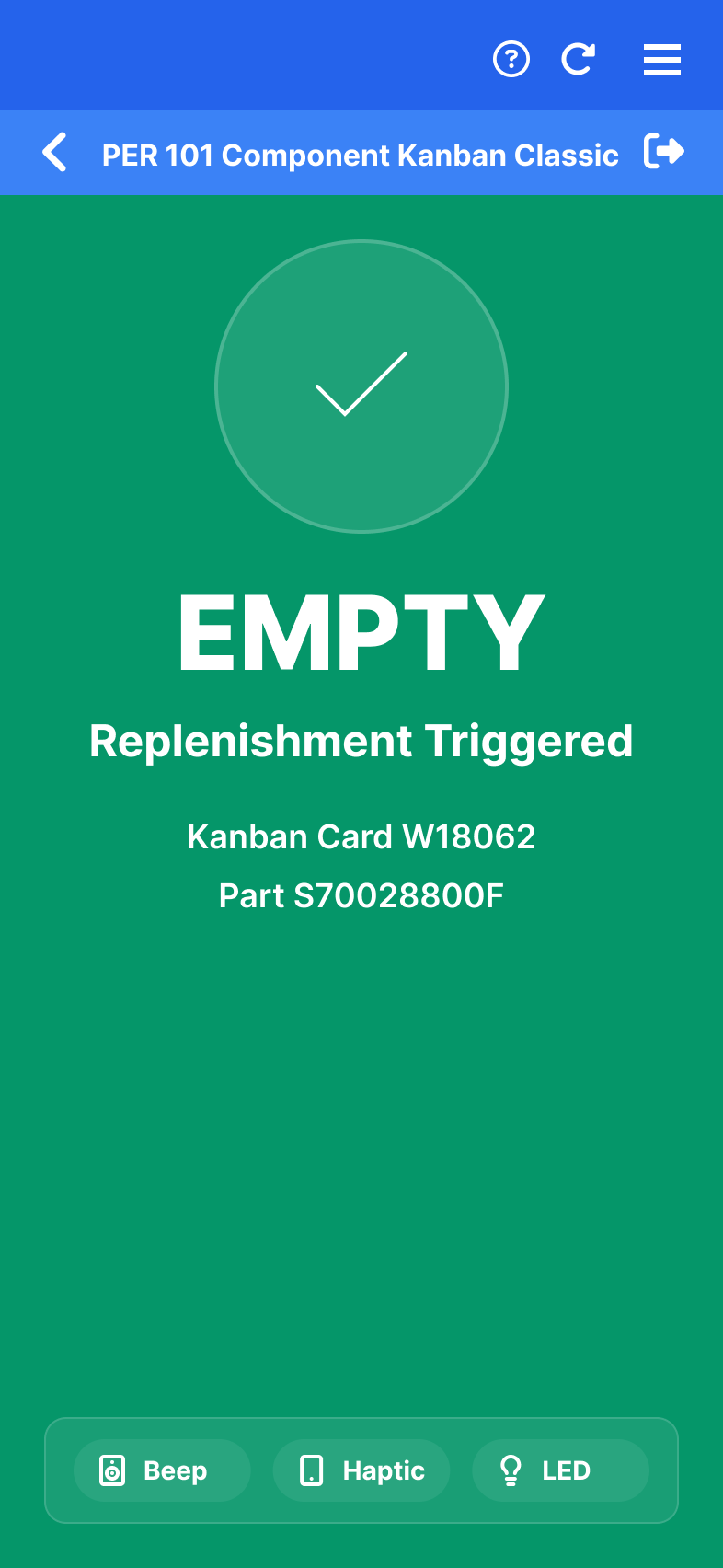
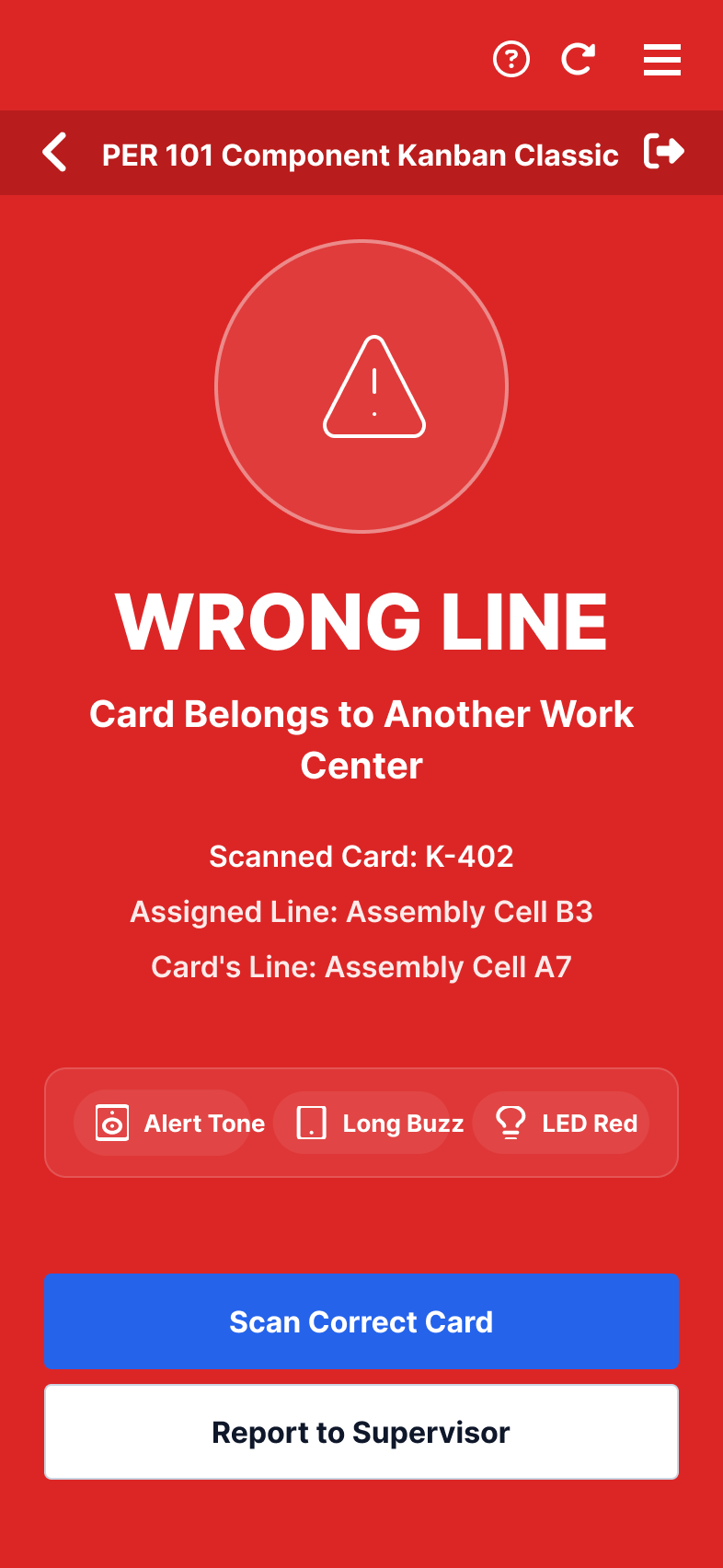
One scan equals action complete. No verification dialogue, no second tap needed. The scan itself is the confirmation because Kanban actions are fully reversible — if you empty the wrong bin, an instant Undo is always one tap away.
Wrong-line validation catches structural errors automatically; for the rare physical mis-scan, a one-tap Undo is cheaper than adding a confirmation step to every scan.
Every state change fires an audible beep, a unique haptic pattern, and a bright LED status indicator concurrently. Operators feel and hear the transactional outcome through heavy gloves.
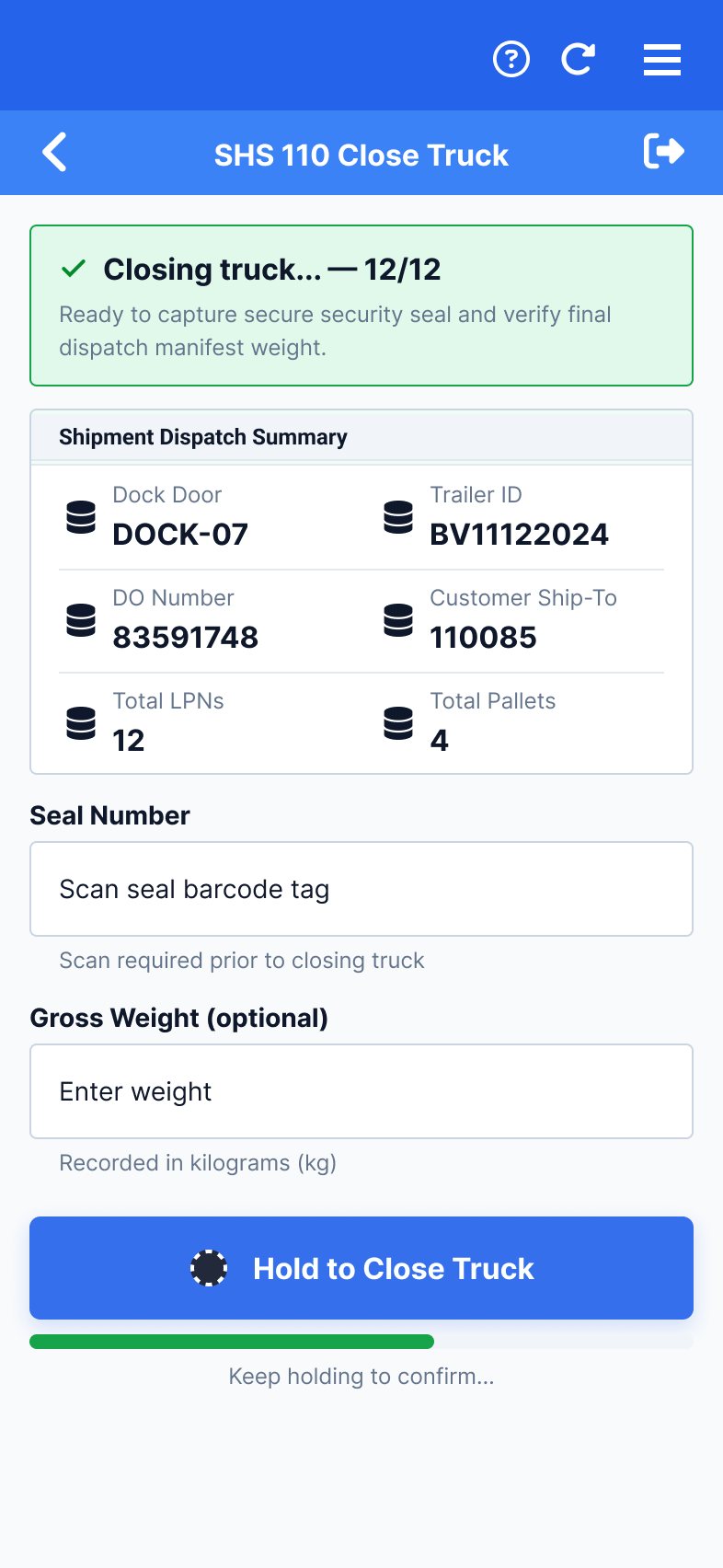
Fast LPN scanning during loading, then a deliberate hold at the irreversible commit.
Dock coordinators load pallets under intense time pressure — they require fast, uninterrupted scanning. But closing a truck officially dispatches the ASN and seals the trailer. An accidental tap-to-close causes expensive physical retrievals from packed moving vehicles.
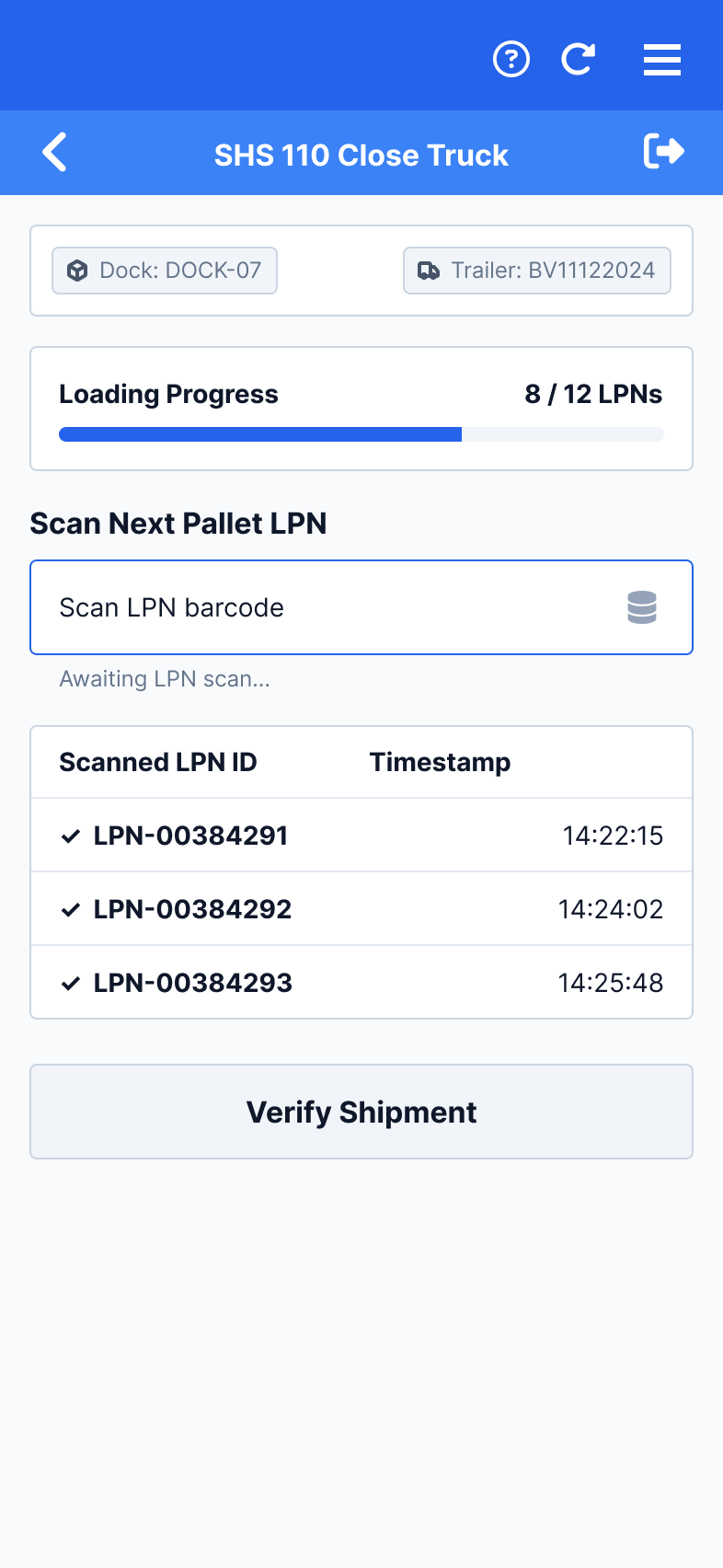
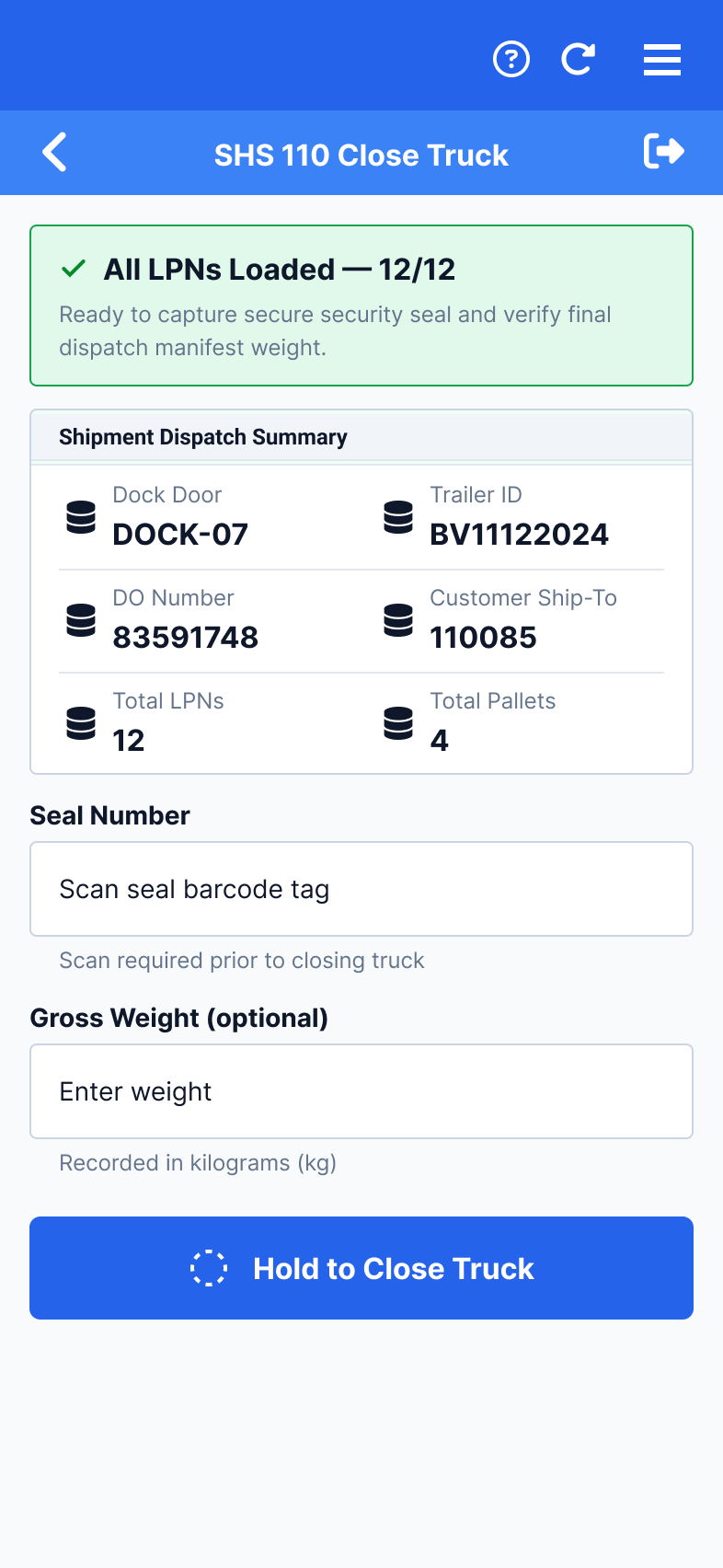
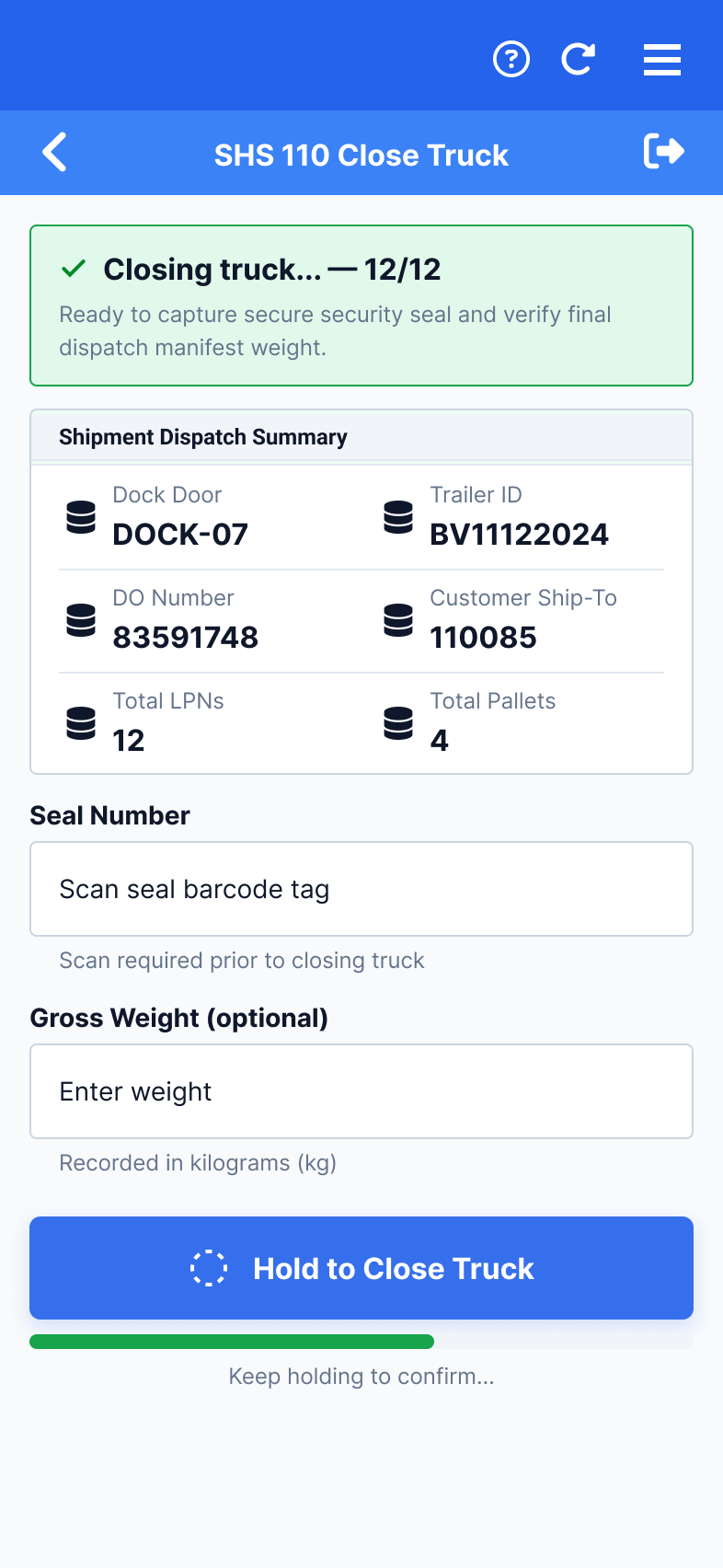
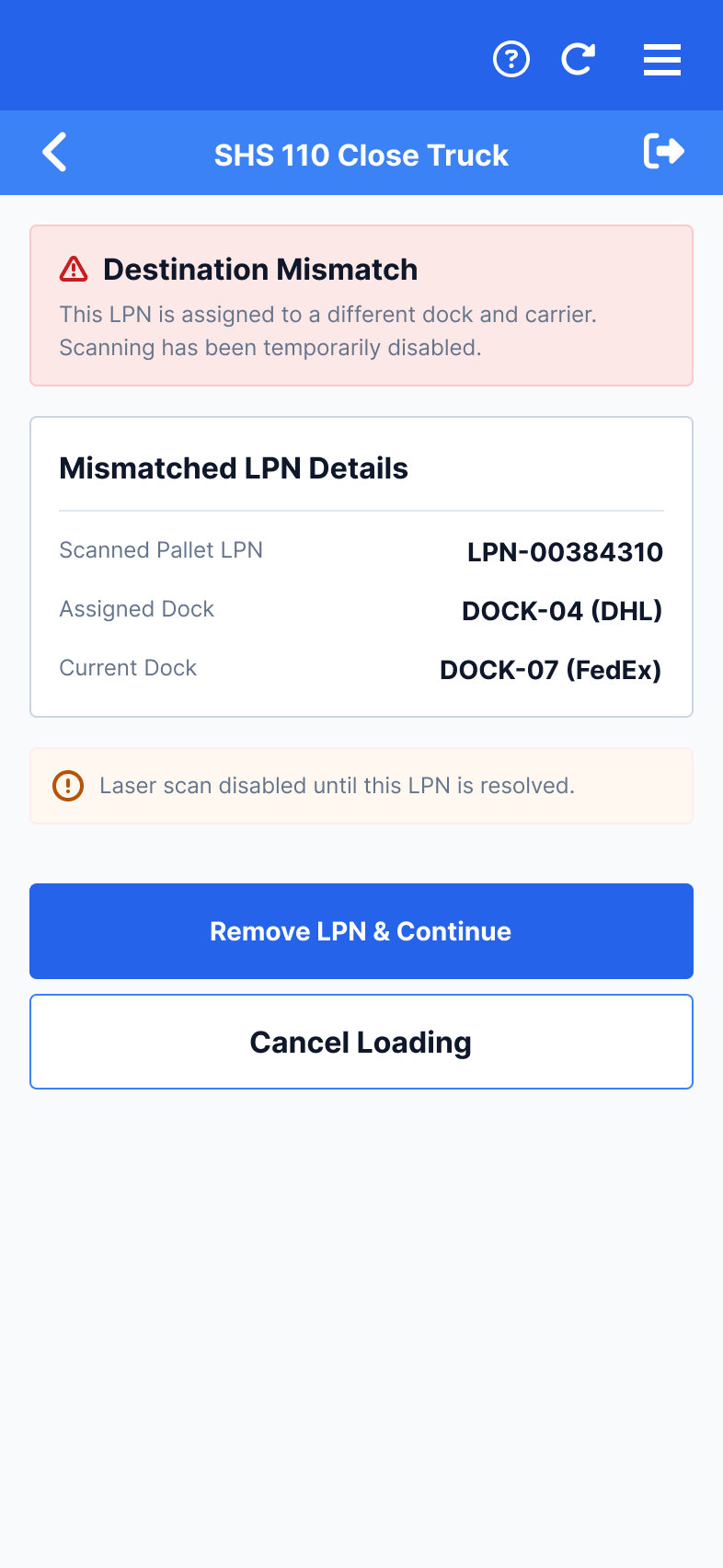
A physical press-and-hold replaces the standard tap-to-confirm. The duration was set at 3 seconds as a starting point, to be calibrated with real operators. The gesture is intentionally demanding — you cannot accidentally complete it with gloved hands while juggling heavy scan equipment. If you release the press early, the state resets with zero data loss.
Every single step in the packaging, loading, and scanning sequence is optimized for maximum speed (scan-to-add, auto-tally). The hold gesture is the single point of deliberate friction in the tool, positioned at the exact moment of no return.
The system intercepts misrouted pallets before the truck is allowed to seal. If an LPN belongs to a different trailer, the screen flashes red and blocks immediately. It presents a simple “Remove LPN & Continue” escape hatch, following the same mistake-proofing paradigm as Kanban.
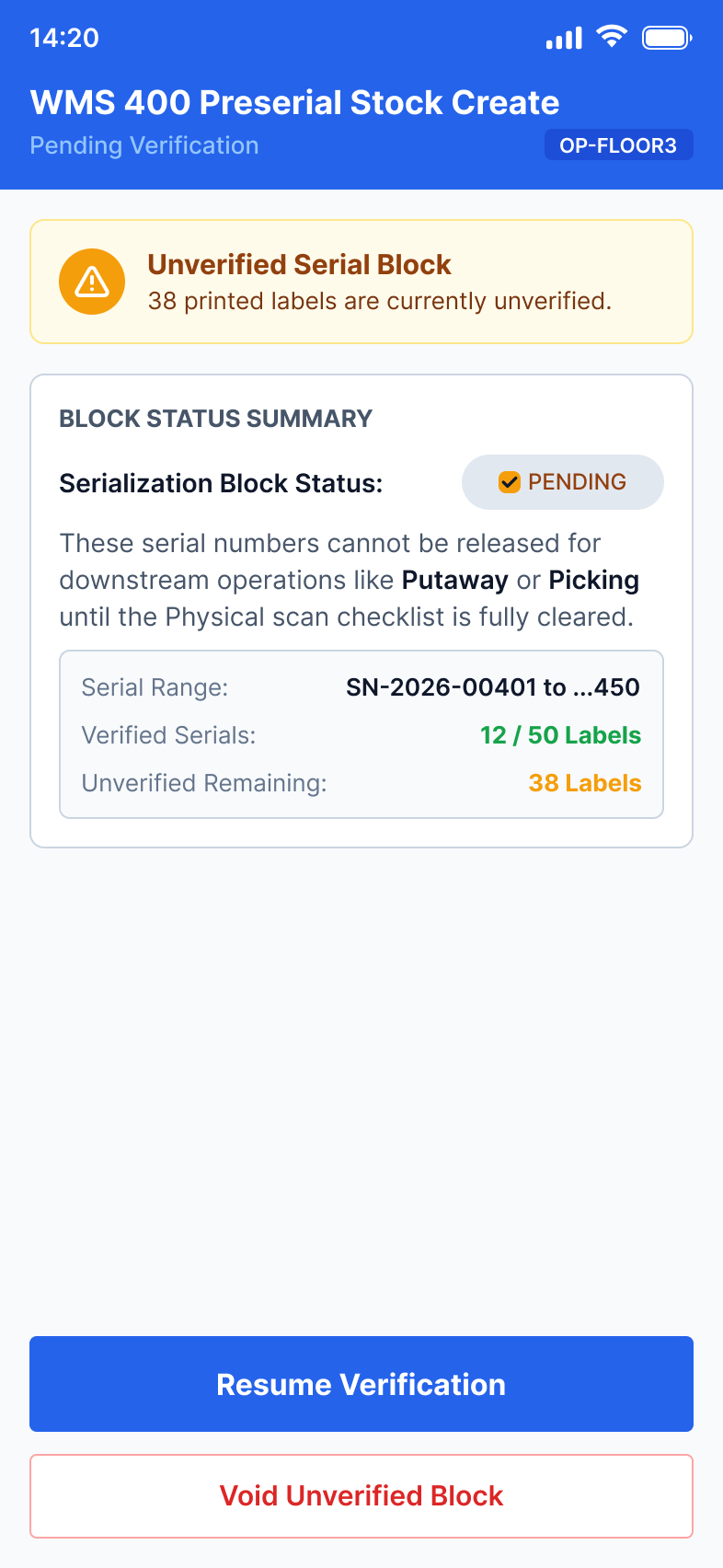
Registry-backed serial blocks with verification gates — printed labels can't be unprinted.
Generating preserial stock produces physical labels with unique serialized barcodes. A misprint, duplicate block, or unverified sequence requires tedious manual label destruction, database quarantining, and immediate line delays. Every step must be heavily guarded.
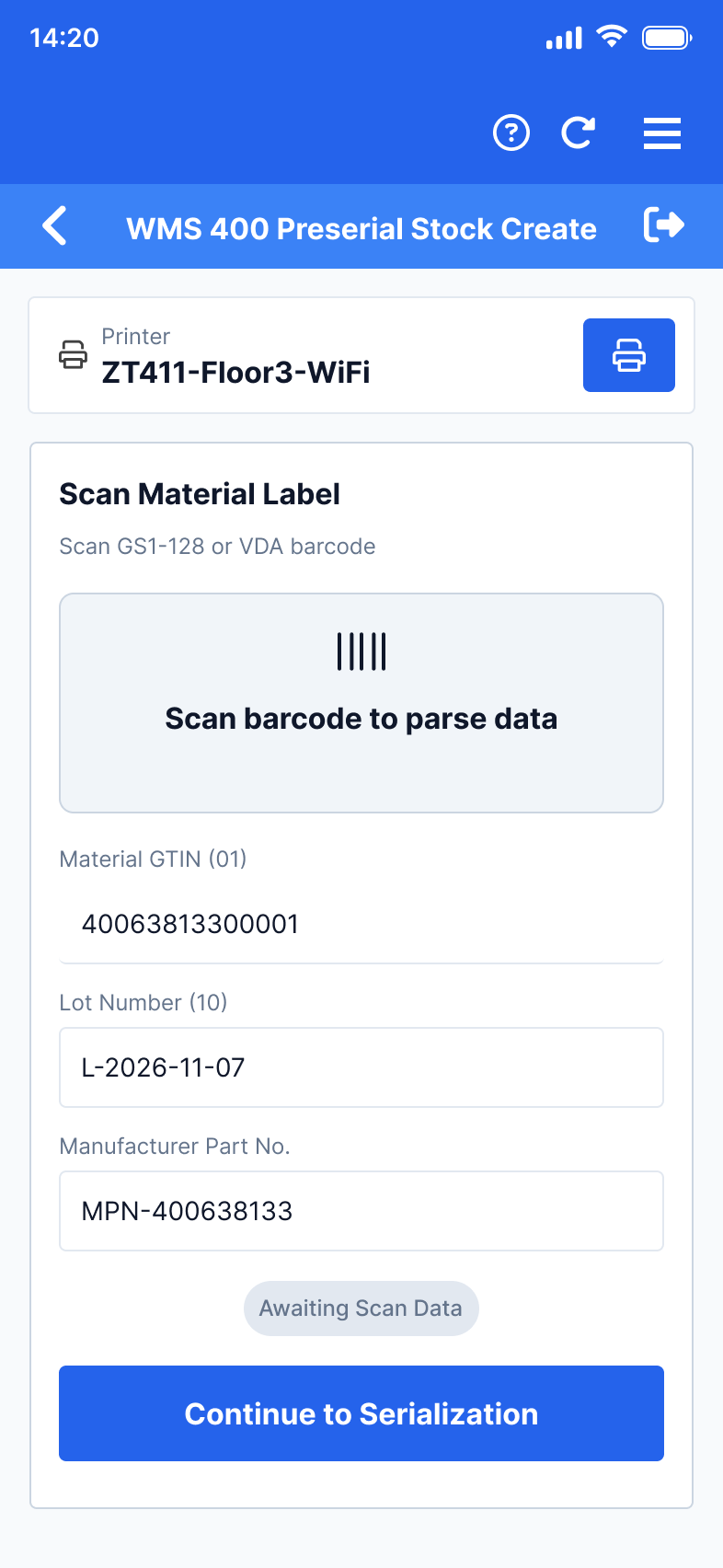
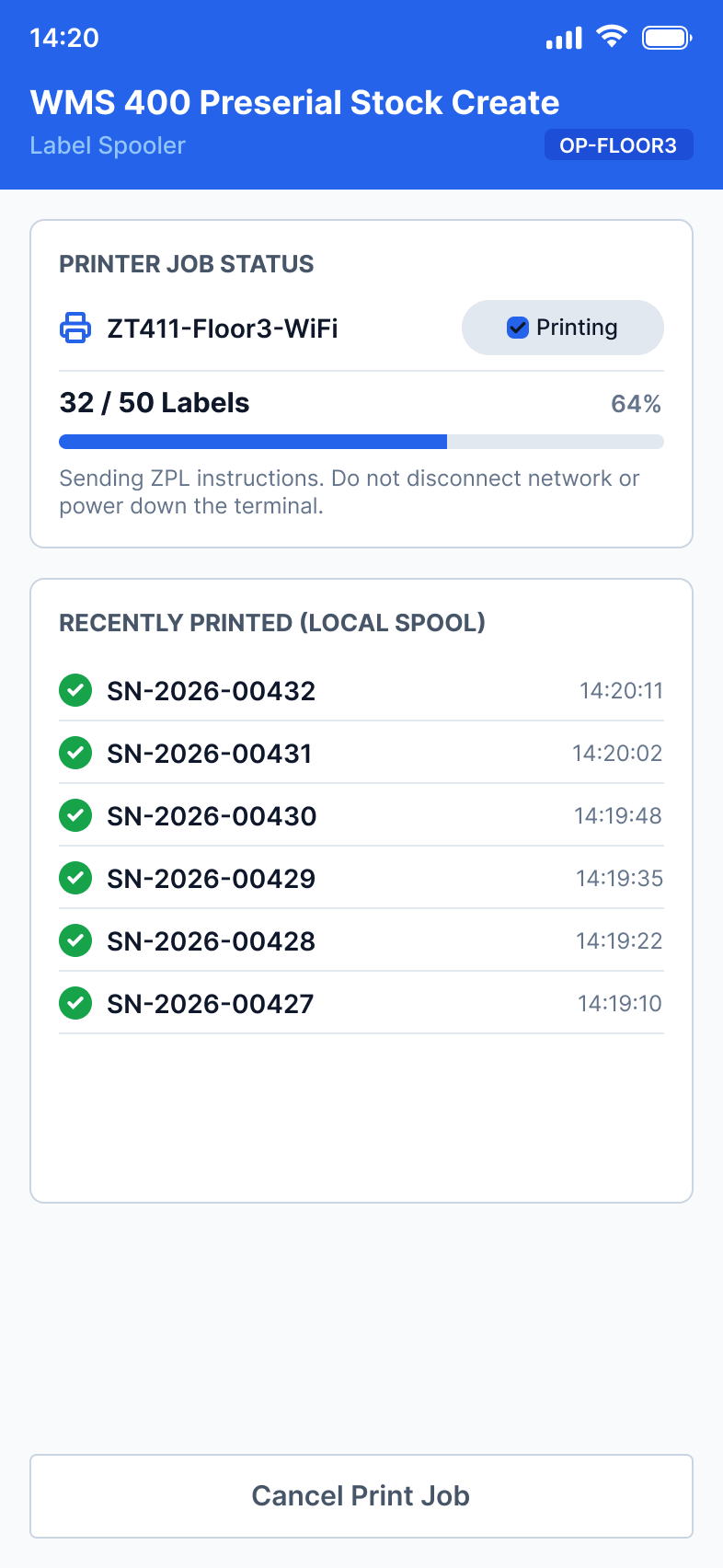
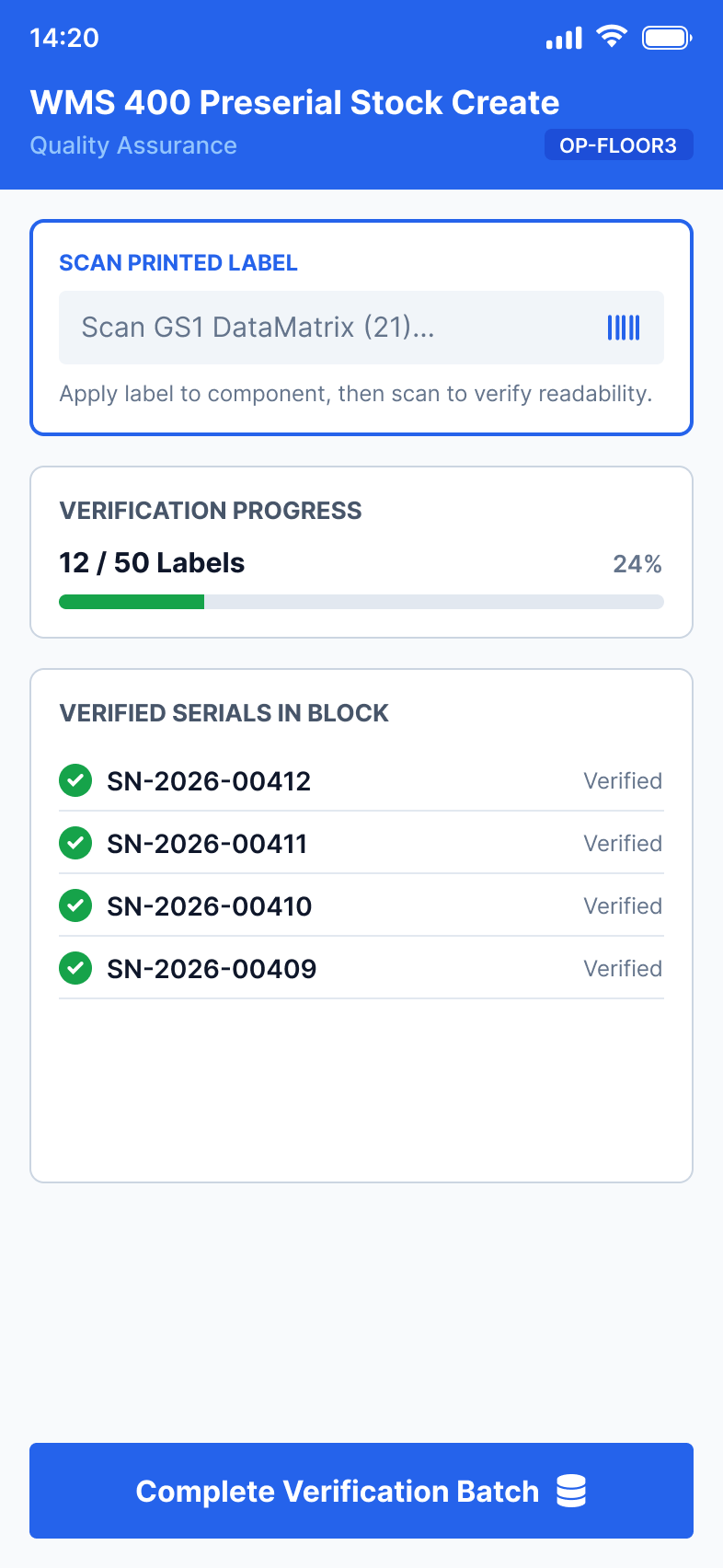
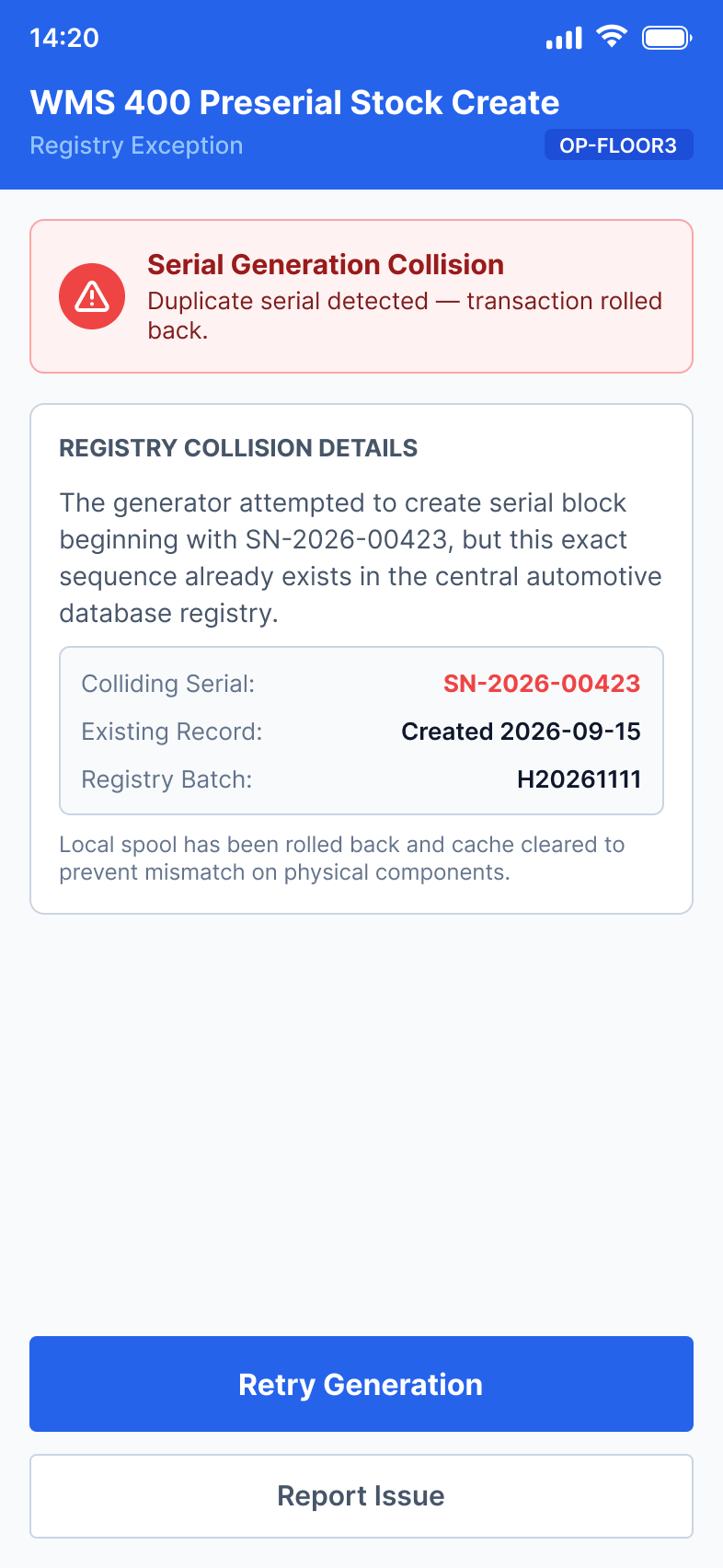
Every individual label must be physically scanned to register active verification before the entire serial block can release downstream. An unverified block stays locked in PENDING status forever — there is intentionally no override command on this gate.
Verifying a 50-label batch requires exactly 50 individual verification scans. This slows down the batch-creation throughput. However, each verification creates an ironclad, auditable chain of physical custody that satisfies automotive tracing standards.
When the central serial registry triggers a collision warning, the system gracefully rolls back only the unprinted spooling cache, identifies the conflicting duplicate, and automatically increments the queue to the next available unique ID. Line operators resume printing in one click without restarting their entire task.
Four shared interaction patterns surface across every workflow — proving this is one coherent system, not eight isolated builds.
Every flow starts the same way: a full-screen scan prompt with a single call-to-action. The scan target label changes, but the layout and the trigger are identical.
When progress must be blocked, the system uses a consistent hard-gate: a full-screen alert with a clear explanation and a single path forward.
Every flow has both a prevention mechanism and a recovery path. Wrong Line + Undo in Kanban echoes Destination Mismatch + Remove LPN.
Errors follow a traffic-light severity system across all flows. Green = success/info, Yellow = warning/attention, Red = blocking error.
Reintroducing quarantined assembly pieces into raw stock bins.
Direct storage relocations from docking bays to long-term holds.
Closing out dispatch waves to verify pallet completeness.
Direct inter-station relocations with active barcode routing.
Instant one-scan relocation for rapid line adjustments.
Empirical field testing and technical performance markers to measure operational resilience.